
Moby
Moby InvestFinance
3.569.00 Reviews
- Version
- 2026.04.24-15.55
- Installs
- 10.00K
- Age Rating
- Everyone
Screenshots
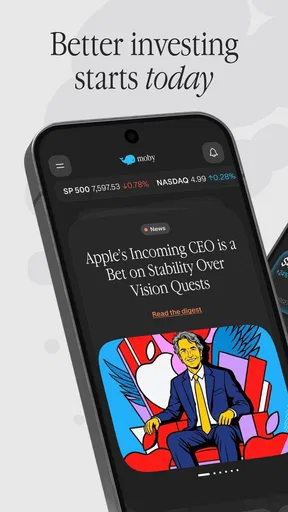
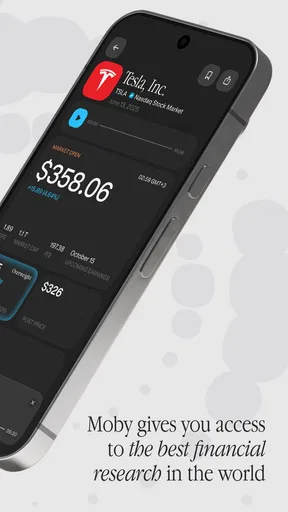
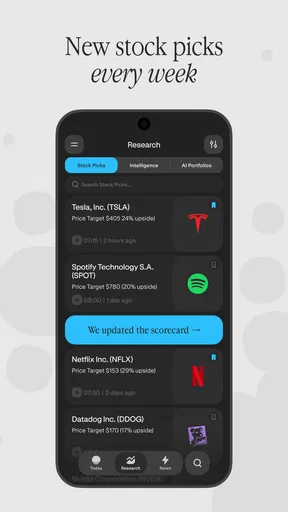
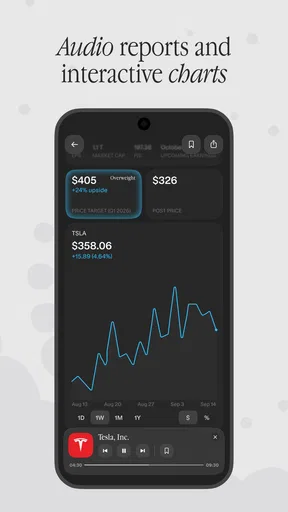
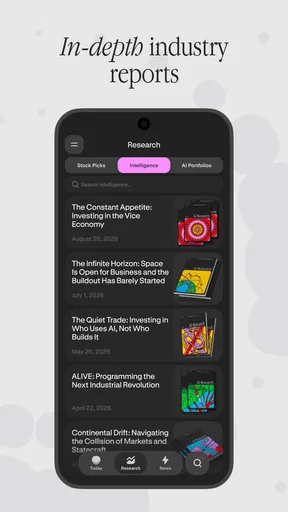
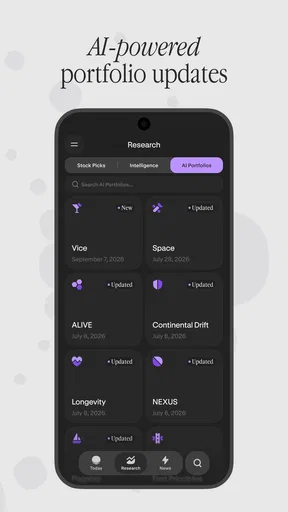
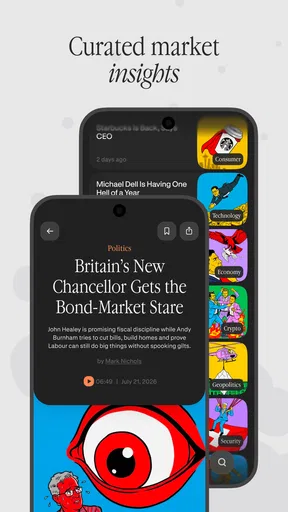
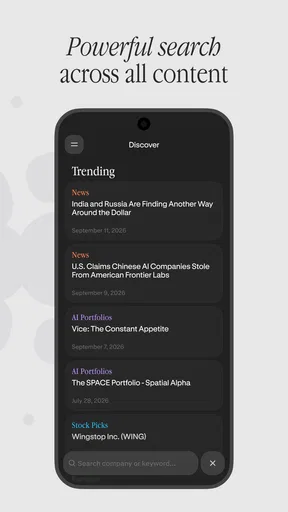
Our Review of Moby
 Analysis by Appyee
If you're looking to make your daily commute or travel planning a breeze, then Moby might just be the app you need. With its sleek interface and nifty features, this app promises to revolutionize the way you navigate your city. So, let's dive into what makes Moby a standout in the crowded world of navigation apps.
Getting Started with Moby
Jumping into Moby is as easy as pie. Once you've downloaded it from the App Store or Google Play, the setup process is super intuitive. You just need to allow it to access your location, and you're good to go. The app greets you with a clean and modern interface, making it pretty straightforward to find your way around.
One of the first things you'll notice is the app's emphasis on user-friendliness. The design is not just eye-catching but also functional. It feels like the developers really took the time to consider what users would want in a navigation app. No clutter, just the essentials.
Before You Plan a Route
There is an important mismatch to keep in mind before treating this as a commute companion: Moby is a finance app from Moby Invest, not a navigation service. Its focus is helping people find investment ideas and strategies. The travel, traffic, transit, cycling, and discovery features described later in this article do not fit that product, so I would not rely on them to plan a journey. If you arrived here looking for directions, check the app’s identity carefully before installing it.
That distinction changes the useful starting point. I would open Moby with a question about how I want to learn about investing, rather than where I want to go. For example, someone with a little spare time might want to explore ideas, while a first-time investor may be trying to understand how to think through a decision. An app centered on investment strategies can be a prompt for research, but it should not replace checking the underlying details or deciding whether a risk suits your circumstances.
Moby is free to install and is rated for Everyone, which lowers the barrier to taking a look; it does not mean investing itself is risk-free or suitable for every person. In-app purchases range from $29.99 to $199.99 per item, so I would check what is included and the recurring or one-time nature of any offer before committing. If your aim is simply to read general financial information, paying for an option may not be necessary. If you are considering a purchase, compare its actual contents with what you need, rather than assuming a higher price means a better investing decision.
Features That Stand Out
Now, let's talk about the features because, honestly, that's where Moby shines. The real-time traffic updates are a lifesaver, especially if you're like me and always running late. The app uses live data to provide you with the best routes, helping you avoid those dreaded traffic jams.
The public transportation integration is another highlight. Whether you're hopping on a bus or catching the subway, Moby has you covered. It offers schedules, routes, and even estimates your arrival time. It’s like having a personal transit guide in your pocket.
But wait, there’s more! The app also features a bike route option, which is fantastic for those eco-friendly commutes. It suggests the safest and most efficient paths, so you won't end up lost in a maze of one-way streets.
Those claims should not be used as a basis for choosing this finance app. For investing, I would instead look for a clear path from an idea to a decision: What is the idea? What assumptions support it? What could make it fail? Can I verify the relevant information independently? That simple sequence is more useful than treating any investing suggestion as a ready-made instruction. It also helps separate learning from acting: reading about an approach does not require placing a trade.
A practical habit is to keep a short note for each idea you investigate: what caught your attention, what evidence you still need, and what would change your mind. That makes it easier to revisit an investment later without confusing a persuasive explanation with a complete analysis. I would also compare any strategy with my time horizon and tolerance for losses. A strategy that sounds sensible in the abstract may be a poor fit for money needed soon or for someone who would be distressed by a decline.
Personalized Experience
One of the coolest aspects of Moby is how it personalizes your experience. The app learns from your travel habits and suggests routes and modes of transportation that fit your preferences. It’s like having a travel buddy who knows all your quirks.
And if you're someone who loves exploring new places, the Discover feature is pure gold. It highlights landmarks, dining options, and events in your vicinity. It’s perfect for those times when you feel like being a tourist in your own city.
For a finance app, personalization is worth judging cautiously. A recommendation can feel tailored without being the right choice for your goals, so I would ask what makes an idea relevant to me and whether I can inspect the reasoning behind it. If a suggestion is too broad, I would treat it as a lead for further reading, not a signal to buy. If I cannot explain the idea in plain language after reviewing it, I would pause rather than let a confident presentation make the decision for me.
Here is a realistic use case: I have a quiet half hour on a weekend and want to learn about investing before deciding what to do with a small amount of money. I can use that time to explore an idea, write down the questions it raises, and then compare those questions with independent sources. The useful outcome is not necessarily a transaction. It may simply be realizing that I need a longer time horizon, a clearer budget, or more understanding before taking any risk. That is a worthwhile result, and it keeps the app in the role of a learning aid rather than a substitute for personal judgment.
Performance and Reliability
Now, let’s talk about performance. The app is smooth and responsive, with minimal lag. Whether you're zooming in on a map or checking out the latest traffic updates, everything loads swiftly. This is crucial when you’re on the go and need information fast.
As for reliability, I’ve yet to experience any major hiccups. The app runs seamlessly on both Android and iOS, which is a huge plus for users who switch between devices. The developers seem committed to regular updates, which keeps everything running shipshape.
Those observations describe a navigation product, not a sound basis for assessing the finance app. What is confirmed is that Moby has an average rating of 3.5 from 238 ratings, with 67 written reviews and more than 10,000 installs. I would read those figures as a reason to approach it with measured expectations, not as proof that it will or will not suit me. Ratings can reflect different needs, and a short review may not tell me whether the app’s investment content is useful for my own level of experience.
The app is free to download, but the available in-app purchases make the handoff from browsing to spending an important point in the workflow. Before choosing any paid item, I would identify exactly what I expect to gain and whether that material fills a real gap. I would also check the purchase screen carefully and avoid buying simply because I have already spent time exploring. If I am only looking for general education, free material from reputable sources may be enough; if I want a specific structured product, I should judge that product on its own terms and budget.
Choosing the Right Tool for the Job
Compared with the usual alternatives in personal finance, Moby’s stated emphasis on investment ideas and strategies places it closer to an investing education or idea-discovery tool than to a bank account, budgeting app, or portfolio tracker. Those tools solve different problems. A budgeting app helps me understand cash flow; a brokerage is where investment transactions may take place; a tracker helps me review holdings. I would not expect one of those categories to replace the others, and I would not choose Moby for a job it is not designed to do.
For a beginner, the appeal is having a focused place to explore investment thinking. The trade-off is that a curated idea can make a complicated decision feel simpler than it is. For an experienced investor, a new perspective may be useful, but it still needs to be checked against original research and the investor’s own process. Someone who wants a detailed portfolio dashboard, automatic budgeting, or a place to execute trades should compare tools built specifically for those tasks instead.
There is also a difference between an idea and a plan. An idea may suggest something worth investigating; a plan has to account for goals, time, risk, and what happens if the investment moves against expectations. I would use Moby, if it fits my needs, at the early research stage and keep the final decision separate. That handoff prevents a discovery tool from quietly becoming my only source of advice.
Where the Flow Can Break
The flow breaks when a user expects directions, transit schedules, bike routing, or nearby places: those are not the purpose of Moby as a finance app. It also breaks if someone assumes that a strategy or investment idea guarantees an outcome. Markets involve risk, and a useful explanation cannot make an investment suitable for everyone. I would skip this app if I need hands-on professional guidance, a transaction platform, or a complete financial plan rather than a way to explore investing ideas.
Another point to weigh is the difference between installing for free and paying for optional content. The listed purchases run from $29.99 to $199.99 per item, a wide enough range that I would inspect the exact offer before deciding. I would not infer that every useful feature requires payment, nor assume that a purchase is a subscription; instead, I would read the terms shown at the point of purchase and decide whether the item addresses a specific need. That small pause is a sensible safeguard in any finance-related app.
Compatibility is another practical check. Moby’s minimum Android requirement is version 7.0, and its current version is 2026.02.19-12.18. The app was released on April 26, 2022. Those details can help Android users check whether their device is eligible, while the version number alone should not be mistaken for a promise about any particular feature. The age rating is Everyone, but that rating concerns content suitability; it is not a recommendation that every user should invest.
If I were helping a friend decide, I would first ask what they want the app to do. If they are looking for investment ideas and are comfortable doing their own checking, Moby may be worth exploring as one input. If they want a straightforward commute planner, a budgeting tool, or a guaranteed route to returns, it is the wrong choice. A quick look at the app’s finance focus before downloading can save that mismatch, while a careful review of optional purchases can prevent a casual trial from turning into an unnecessary expense.
Endnote: Is Moby Worth It?
So, here’s the deal: if you’re in the market for a navigation app that’s not only reliable but also packed with features, Moby is definitely worth a shot. Its combination of real-time updates, personalized recommendations, and a user-friendly interface makes it a fantastic choice for anyone who’s constantly on the move.
With Moby, you’re not just getting from point A to point B; you’re doing it in style and with ease. It’s the kind of app that makes you wonder how you ever lived without it. So, go ahead and give it a whirl. Who knows? It might just become your new favorite travel companion.
For the actual finance app, my verdict is more specific: I would consider it for exploring investment ideas, not for navigation or as a replacement for a financial professional. The free download makes it possible to assess the experience, but I would keep any paid purchase deliberate and compare its value with what I am trying to learn. Its 3.5 average rating suggests a mixed reception, so I would go in with realistic expectations and decide for myself whether its approach helps me think more clearly.
The best result from an investing tool is not always a purchase or a trade. Sometimes it is a better question, a decision to wait, or a clearer sense of what I still need to understand. If that is what you want from Moby, it may fit into a careful research routine. If you came here hoping for traffic updates or a personal travel guide, choose a navigation app instead; this one belongs in the finance conversation.
Verdict
Strengths of Moby
- User-friendly interface for easy navigation.
- Wide range of features for customization.
- Seamless integration with other apps.
- Fast performance with minimal lag.
- Regular updates with new features.
Limitations of Moby
- Limited offline functionality.
- Occasional ads can be intrusive.
- Some features require in-app purchases.
- Compatibility issues on older devices.
- Lacks comprehensive tutorial for beginners.
Similar Picks in This Category
View All
Google Wallet
Google LLC4.3

Airtel: Recharge, Bank & Loans
Airtel4.0

PayPal - Pay, Send, Save
PayPal Mobile4.2

DANA Indonesia Digital Wallet
PT Espay Debit Indonesia Koe4.5

Binance: Buy Bitcoin & Crypto
Binance Inc.4.8

Cash App
Block, Inc.4.7
Frequently Asked Questions
What is the primary purpose of the Moby app?
Moby is designed to streamline personal productivity by providing users with a comprehensive suite of tools for task management, scheduling, and collaboration. It integrates seamlessly with various calendar and project management apps, making it ideal for both individuals and teams looking to enhance their organizational skills.
Is Moby available for both Android and iOS devices?
Yes, Moby is available for download on both Android and iOS platforms. The app is optimized for performance on a wide range of devices, ensuring that users experience smooth and efficient functionality regardless of their operating system. Links for both platforms can be found on the official website.
Does Moby support offline functionality?
Moby offers offline functionality for users who need to access their tasks and schedules without an internet connection. While some features, like real-time collaboration, require connectivity, users can still view and edit their personal tasks and notes offline, with changes syncing once a connection is re-established.
Are there any subscription fees for using Moby?
Moby offers a free version with essential features for basic use. However, there is a premium subscription available that unlocks advanced tools, increased storage, and enhanced collaboration features. Users can choose the plan that best suits their needs, with flexible monthly or yearly payment options.
How secure is my data on Moby?
Moby prioritizes user security with robust data encryption and regular security updates. All user information is securely stored, and the app complies with industry standards for data protection. Users can rest assured that their personal and professional information is kept private and safe from unauthorized access.
